● 100% in your browser — nothing uploaded

Beautiful screenshots,
in seconds.

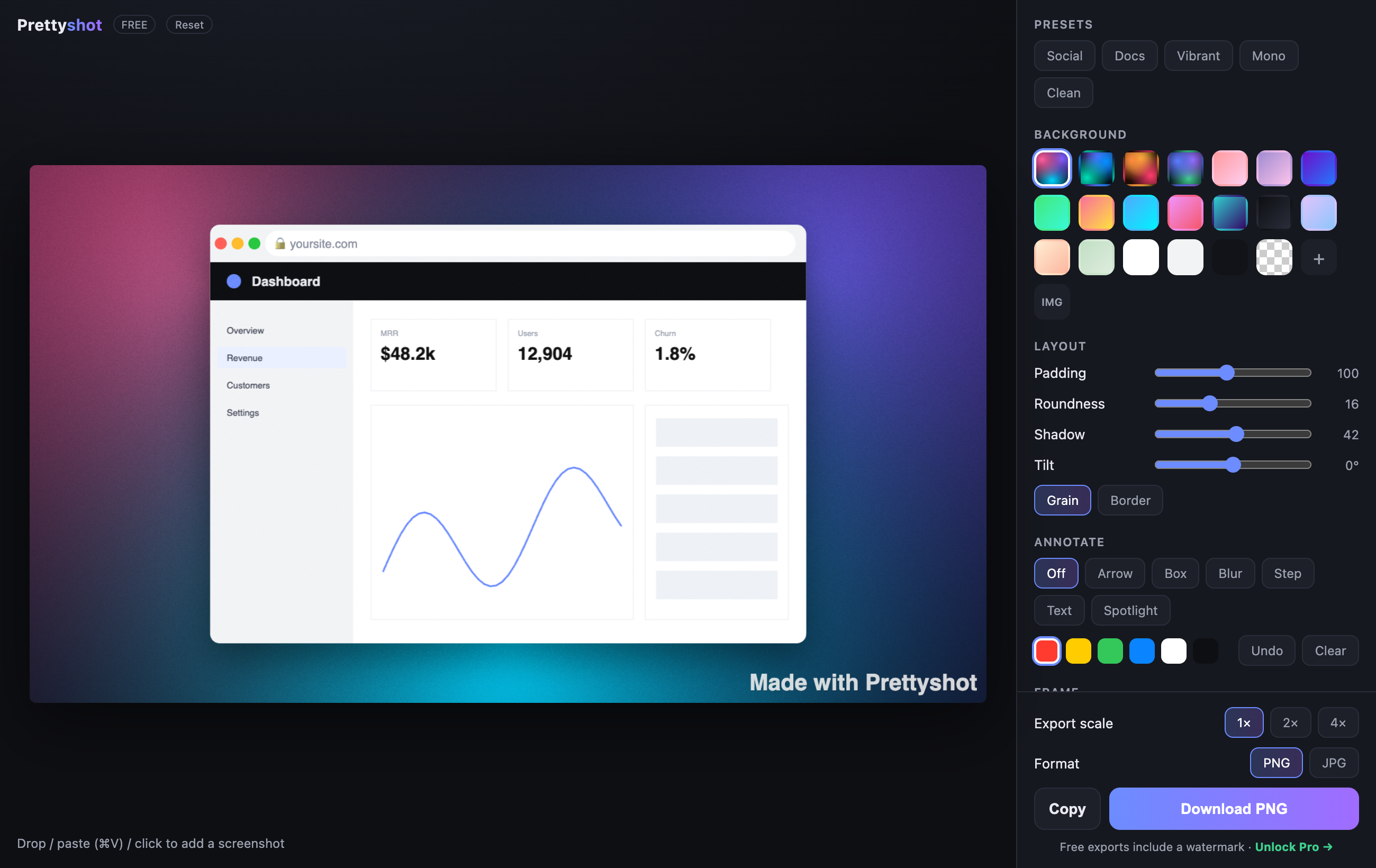
Drop in an ugly screenshot and get a polished, share-ready image — perfect for Twitter/X, App Store listings, landing pages, and docs.

Prettyshot editor with a framed screenshot on a gradient background

Everything you need to make it look pro

No design skills required. No account. No upload. Just a great-looking image.

🎨

Stunning backgrounds

Premium mesh gradients, linear gradients, solids, your own image, or transparent.

🪟

Device frames

macOS window, browser bar with your URL, or a clean dark title bar.

✏️

Annotations

Arrows, boxes, blur-to-redact, numbered steps, text, and spotlight — baked into the export.

Grain, shadow & tilt

The polished, high-end look in one click. Fine film grain that stays crisp at any size.

🖥️

Retina export

Export PNG or JPG at 1×, 2×, or 4×. Sized for X, App Store, OG, Story — pick a ratio.

🔒

Totally private

Everything runs on your device. Your screenshots never touch a server. Ever.
How it works

From raw grab to gorgeous in three steps.

1

Drop it in

Drag, paste (⌘V), or click to add your screenshot.

2

Style it

Pick a background, add a frame, annotate, tweak padding and tilt.

3

Export

Download a crisp PNG/JPG or copy straight to your clipboard.

Simple pricing

Use it free forever. Go Pro once to drop the watermark and unlock retina.

Free

$0
  • All backgrounds, frames & annotations
  • Every aspect ratio
  • PNG / JPG export
  • Small watermark · 1× export
Start free
ONE-TIME

Pro

$29 once
  • No watermark
  • 2× / 4× retina export
  • Copy to clipboard
  • Lifetime updates
Get Pro →

Get launch updates

New backgrounds, tips, and the occasional discount. No spam.

Questions

Do my screenshots get uploaded anywhere?

No. Prettyshot runs entirely in your browser — your images never leave your device. That's the whole point.

Is Pro a subscription?

No. Pro is a single one-time payment of $29 with lifetime updates.

What can I use the images for?

Anything — marketing, App Store screenshots, blog posts, social, docs. They're yours.

Do I need to install anything?

Nope. It's a website. Open it and go. Works offline too, once loaded.